Chiidoku Controls
Same three rules on every device. Different fat-finger risks.
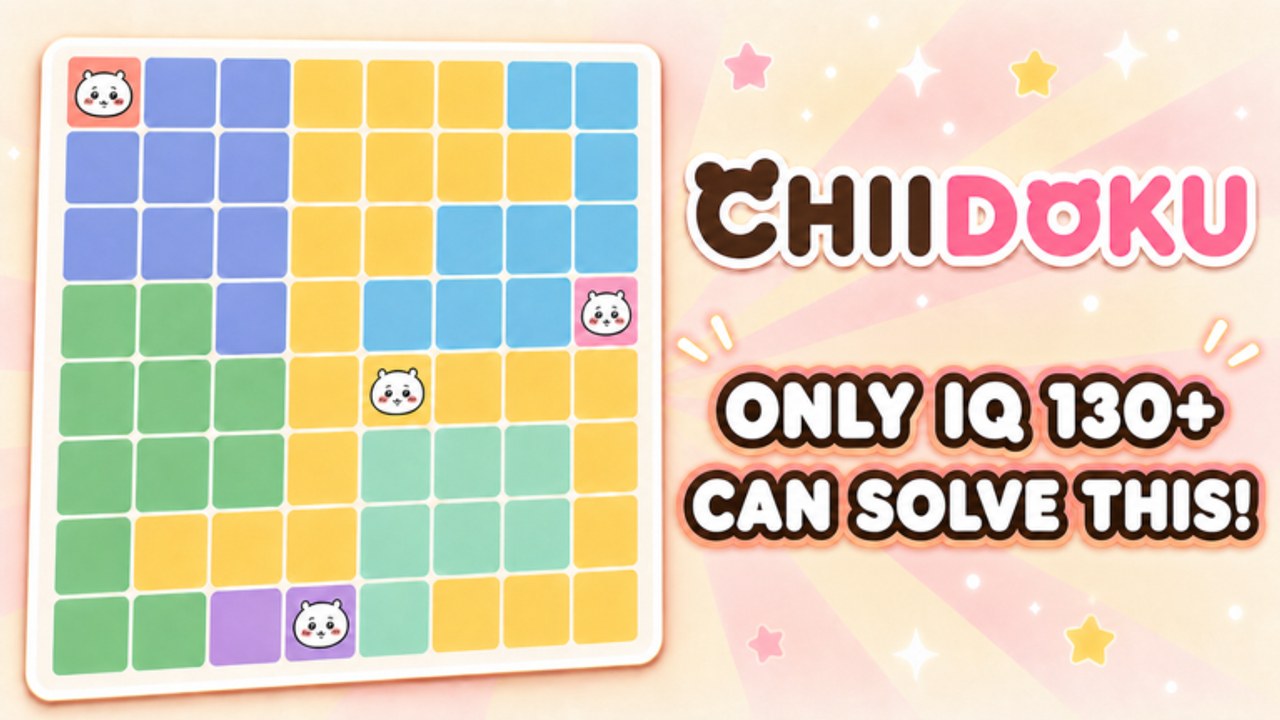
The control model is a pointer, not a combo list
Chiidoku is a grid UI. You select a cell. You place or remove a Chiikawa token. You submit to uniqueness. There is no dash, no block button, no skill bar. If you came from battlegrounds experiences, throw that muscle memory out. The only “combo” is the scan order in how to solve.
Because the studio has not published a separate keybind table, treat the following as the practical map players actually use on Roblox, then confirm inside the experience settings if a patch adds extra toggles. We will note bind changes on updates.
PC
- Left click an empty legal cell to place a token.
- Left click a token you just placed if the UI offers undo on that cell.
- Move the camera only if the lobby shell lets you; the puzzle itself is a flat board. Do not waste time circling the avatar.
- Esc / Roblox menu for volume, graphics, and leaving. Graphics quality does not change legality. It can change whether a pastel region looks like its neighbor. If two colors smear together, raise quality or play on a brighter screen before you invent a fourth region.
Use a mouse. Trackpads produce accidental double taps, and a double tap on a forced cell you already filled can look like a “bug.” It is usually you.
Mobile
- Tap to place.
- Pinch only if the board zoom exists in your build. If it does not, do not keep pinching; you will rotate the camera and lose the cell you meant.
- Play in landscape when the grid is large. Campaign boards get busier toward 300. Thumbs hide the lower row.
- Turn on Do Not Disturb. A notification landing in the middle of Scan B is a classic heart tax.
Mis-taps are the number one “the game cheated me” report on puzzle Roblox titles. They almost never cheated. Recalibrate by aiming at cell centers, not borders. Borders belong to two regions visually even when the engine assigns one.
Console
- Use the cursor / pointer stick to highlight a cell, then the confirm button to place.
- Avoid holding confirm. A held press can repeat on some Roblox UI layers.
- If the highlight is pale, pause and look at the color, not the cute face. Tokens are easy to see. Region borders are the thing you miss from a couch.
HUD reading order
Before you place anything, look at:
- Hearts — how many mistakes you can still afford.
- Mode — campaign level number, infinite streak, or daily task.
- Coin balance — only relevant after the board, unless a daily asks you to spend.
- Codes button — remember where it sits so how to redeem is not a treasure hunt later.
- Shop / characters — ignore during a live board. Cosmetics do not create extra legal cells. See the players hub.
If a daily mission overlay covers a corner of the grid, close or slide it. Solving half-blind is how infinite streaks die. Details for those tasks live in daily missions.
Accessibility and comfort
Pastel palettes are part of the Chiikawa look and part of the difficulty. Color regions that are mint versus yellow-green will collide for some eyes. Use a high-contrast display, sit closer, or zoom if the build allows it. The engine will not relabel regions for you.
There is no official color-blind mode listed on the Roblox page as of 29 August 2026. If one appears, we will document it here and in patch notes.
What controls will not do
- They will not skip a uniqueness rule.
- They will not mark forced cells. That is your scan, or a banned auto-tool discussed on scripts.
- They will not share your board with the other people in a 50-player server. You can emote at them. They cannot click your purple region.
Practice drill
Open a fresh campaign board from getting started habits. Place nothing for ten seconds. Only move the pointer across closed rows. Then place one forced cell. If you placed two, you went too fast. Speed is a reward for clean controls, not a substitute.
When the pointer does what you meant and the scan does what the checklist says, hearts stop feeling random.
Frequently Asked Questions
Quick answers to the most common Chiidoku questions.
Is there a keyboard shortcut to undo?
Roblox puzzle UIs usually undo by re-clicking the cell or using an on-screen back control. Confirm in your build; we will list a hotkey here if the studio adds one.
Why does mobile eat hearts I did not mean to spend?
Border taps. Aim at cell centers and play landscape. Then go back to the solve guide if the placement was actually illegal.
Do graphics settings change the puzzle?
No. They can only make pastel regions easier or harder to tell apart.
Where is the codes button?
On the HUD with other meta buttons. Walk through it in how to redeem even while the codes list is empty.